How to create an activity diagram using PlantUML
An activity diagram shows the steps of a process: what happens first, where decisions are made, what repeats and what runs in parallel. It is the UML cousin of the flowchart, with extra notation for concurrency and for showing who is responsible for each step.
This guide covers PlantUML's activity syntax from the simplest diagram to swimlanes. Every example can be opened in Dev Studio's Activity Diagram tool.
The basics: start, actions and stop
An action is written between a colon and a semicolon. start draws the filled starting circle and stop draws the end marker.
@startuml
start
:Open the expense app;
:Fill in the claim;
:Attach receipts;
stop
@enduml
Actions can span several lines; everything up to the closing semicolon belongs to the same box. Use end instead of stop when a flow ends abnormally, and kill or detach when a branch simply stops without reaching the end.
Decisions with if, elseif and else
A decision is written as a question in brackets. The labels after then and else appear on the branches:
@startuml
start
:Submit claim;
if (Amount over 500?) then (yes)
  :Manager approval;
elseif (Missing receipt?) then (yes)
  :Ask for receipt;
else (no)
  :Auto-approve;
endif
:Pay employee;
stop
@enduml
When you're testing one value against several options, switch reads better than a chain of elseif:
@startuml
start
switch (Claim type?)
case (Travel)
  :Check travel policy;
case (Meals)
  :Check daily limit;
case (Equipment)
  :Check asset register;
endswitch
stop
@enduml
Loops: while and repeat
Use while when the condition is checked before the steps run, and repeat when the steps run at least once:
@startuml
start
while (More receipts?) is (yes)
  :Scan receipt;
  :Read amount;
endwhile (no)
repeat
  :Upload claim;
repeat while (Upload failed?) is (yes) not (no)
stop
@enduml
Parallel work with fork
fork splits the flow into branches that happen at the same time, and end fork waits for all of them to finish. The thick bars are the UML notation for this.
@startuml
start
:Claim approved;
fork
  :Transfer money;
fork again
  :Email confirmation;
fork again
  :Update budget report;
end fork
stop
@enduml
Use split … split again … end split when the branches don't need to wait for each other.
Swimlanes: who does what
A swimlane is a column for one person, team or system. Write the lane name between vertical bars; every step after it goes into that lane until another lane is named. In Dev Studio, switch lanes between top-level steps rather than inside an if branch.
@startuml
|Employee|
start
:Submit expense claim;
|Manager|
:Review claim;
if (Within budget?) then (yes)
  :Approve;
else (no)
  :Approve with a note;
endif
|Finance|
:Pay into bank account;
|Employee|
:Receive payment;
stop
@enduml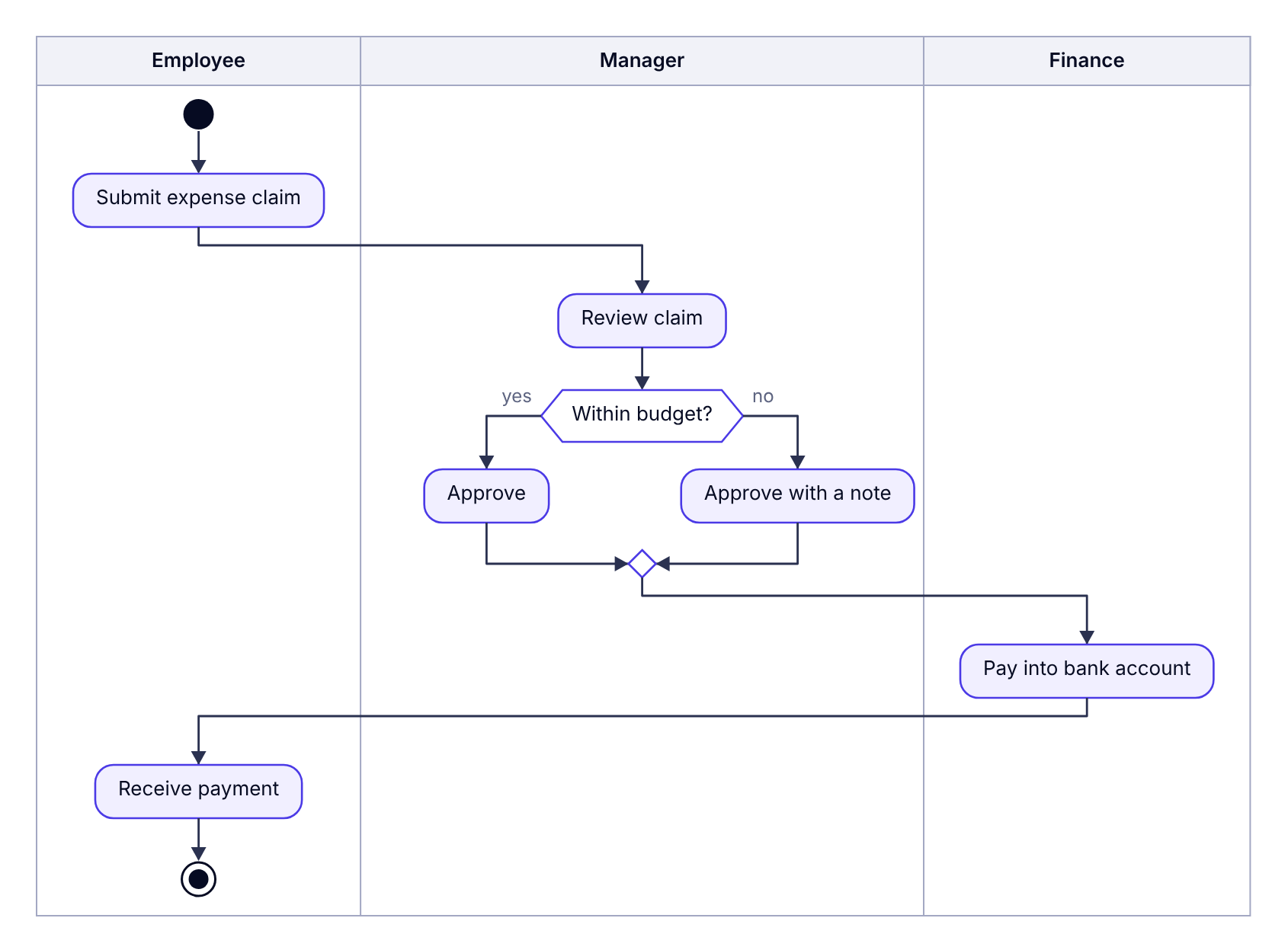
Notes and partitions
note right: text attaches a note to the action just above it. For longer notes, start with note left on its own line and finish with end note. A partition draws a labelled frame around a group of steps:
@startuml
start
partition "Month-end close" {
  :Reconcile card statements;
  note right: Flag anything over 30 days old
  :Export to accounting;
}
:Send summary to finance lead;
stop
@enduml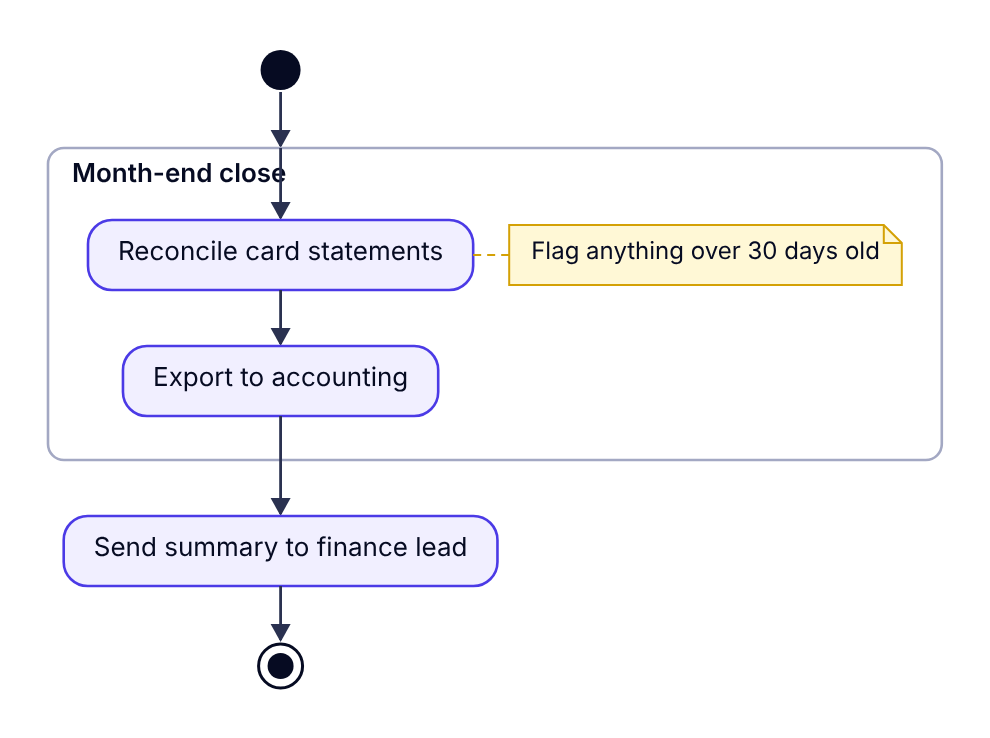
Arrow labels
To label the arrow between two steps, put -> label; on its own line between them. This is handy for naming data that flows from one step to the next, such as -> approved claim;.
Tips for readable activity diagrams
- Start every action with a verb: "Validate address", not "Address validation".
- Phrase decisions as questions with short branch labels like yes/no or approved/rejected.
- Keep one level of detail. If a step needs ten sub-steps, give it its own diagram.
- Use swimlanes for hand-offs. They show where delays and misunderstandings tend to happen.
(*) --> "Step". Dev Studio supports the newer syntax shown on this page, which is the one PlantUML's own documentation uses today.