The difference between sequence diagrams and activity diagrams
Sequence diagrams and activity diagrams both describe behaviour, and both are part of UML, so they're easy to confuse. The short version: a sequence diagram shows who talks to whom, and in what order; an activity diagram shows what steps happen, and under which conditions.
The clearest way to see the difference is to draw the same scenario both ways.
The same scenario, drawn twice
Scenario: a customer checks out, the shop reserves stock, charges the card, and either confirms the order or releases the stock if payment fails.
As a sequence diagram
@startuml
actor Customer
participant Shop
participant Inventory
participant Payments

Customer -> Shop: Checkout
Shop -> Inventory: Reserve items
Inventory --> Shop: Reserved
Shop -> Payments: Charge card
alt approved
  Payments --> Shop: Charge ID
  Shop --> Customer: Order confirmed
else declined
  Payments --> Shop: Declined
  Shop -> Inventory: Release items
  Shop --> Customer: Payment failed
end
@enduml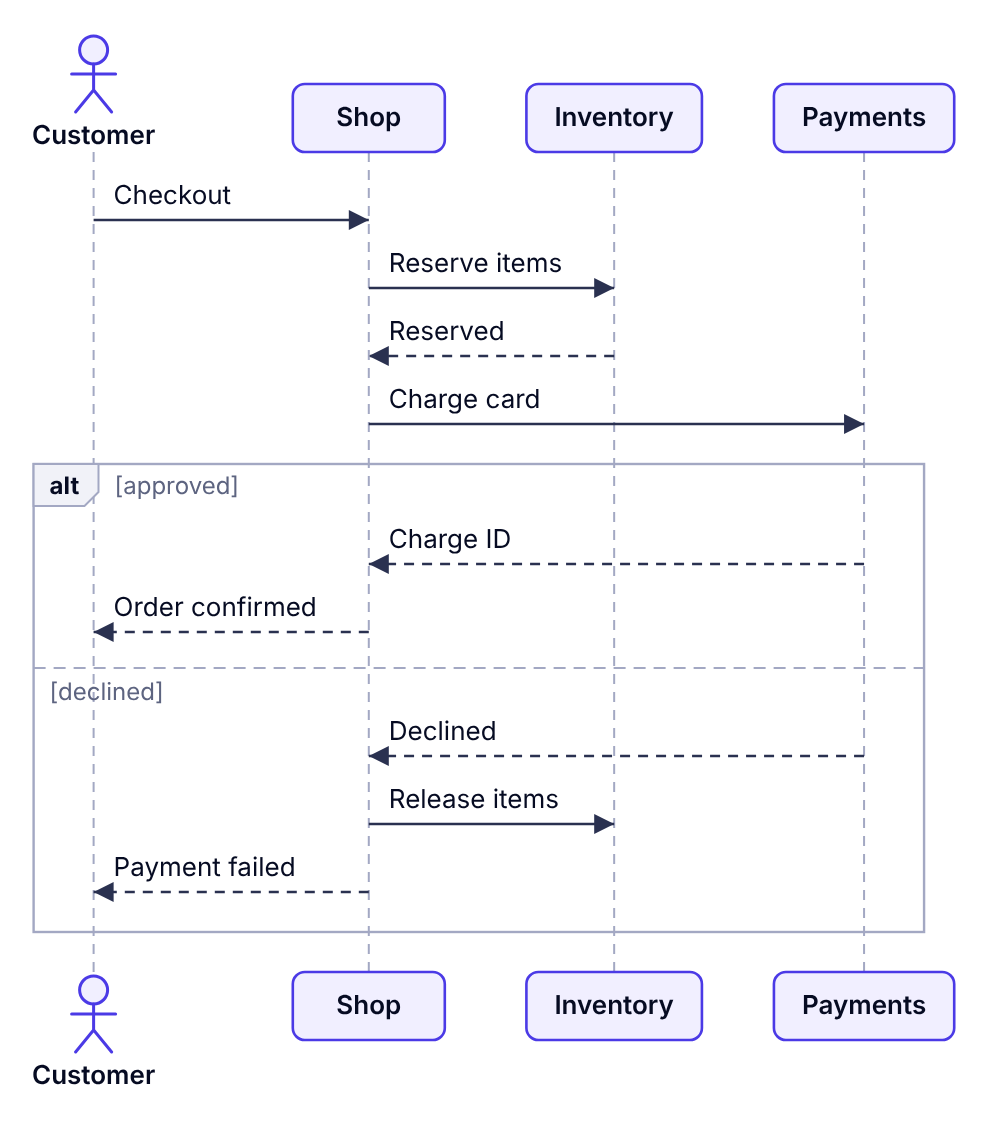
As an activity diagram
@startuml
start
:Customer checks out;
:Reserve items;
:Charge card;
if (Payment approved?) then (yes)
  :Confirm order;
else (no)
  :Release items;
  :Show payment error;
endif
stop
@enduml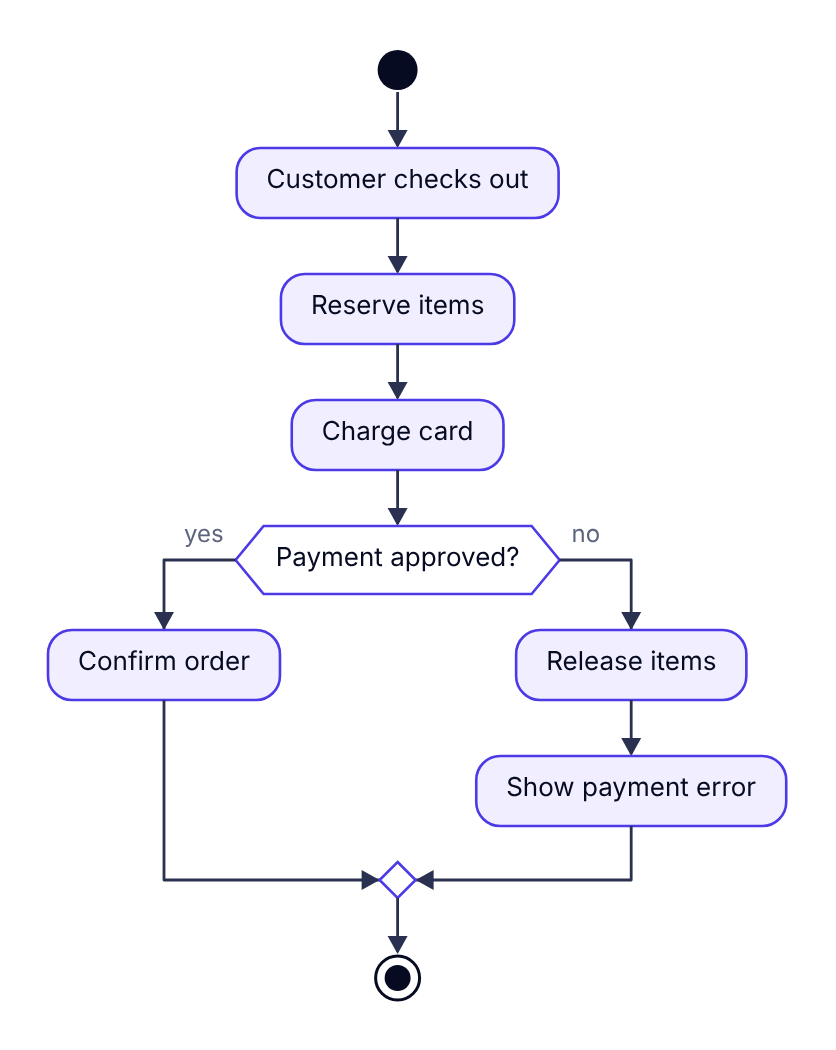
The sequence diagram tells you that the Shop is the one coordinating, and exactly which messages travel between systems. The activity diagram hides those details and makes the decision point and the two outcomes much easier to see at a glance.
Side-by-side comparison
| Aspect | Sequence diagram | Activity diagram |
|---|---|---|
| Main question | Who interacts with whom, in what order? | What steps happen, and when do they branch? |
| Layout | Participants across the top, time flowing down | Steps flowing from start to end |
| Main elements | Participants, lifelines, messages, activations | Actions, decisions, merges, forks, swimlanes |
| Branching | alt, opt and loop blocks; becomes crowded quickly | Native and easy to read |
| Parallel work | par blocks | Fork and join bars |
| Best audience | Developers building or integrating the systems | Developers, analysts and business stakeholders |
| Typical uses | API calls, authentication, service integrations | Business processes, algorithms, user journeys, pipelines |
When to choose a sequence diagram
- You're designing or documenting an API or integration and the order of calls matters.
- You need to show which component is responsible for each request.
- You're debugging a timing problem, such as a race between two services, and need to see what happens when.
- You want to show synchronous vs asynchronous communication.
When to choose an activity diagram
- The process has many decisions or loops.
- You're explaining a business workflow to people who don't care which microservice does what.
- Work happens in parallel and you need to show where it joins back up.
- You want to show hand-offs between teams, using swimlanes.
Using both together
On larger features, teams often draw an activity diagram first to agree on the overall process, then a sequence diagram for each tricky step to agree on the technical contract. For example, the "Charge card" step above might get its own sequence diagram showing retries, idempotency keys and webhook callbacks.
Activity diagrams with swimlanes sit in the middle: they show both the steps and roughly who performs them, without the message-level detail of a sequence diagram.