Practical examples of PlantUML diagrams
The quickest way to learn PlantUML is to start from a working example and change it. Here are six realistic diagrams, three sequence and three activity, each with a short explanation of the techniques it uses. Open any of them in Dev Studio and adapt them to your own system.
1. Sign-in with multi-factor authentication
This sequence diagram uses an opt block for the step that only happens for users with MFA enabled, and autonumber so each step can be referred to by number.
@startuml
title Sign-in with MFA
autonumber
actor User
participant App
participant "Identity provider" as IdP

User -> App: Email and password
App -> IdP ++: Verify credentials
IdP --> App --: OK (MFA required)
opt MFA enabled
  App --> User: Ask for 6-digit code
  User -> App: Code from authenticator
  App -> IdP ++: Verify code
  IdP --> App --: Valid
end
App -> App: Create session
App --> User: Signed in
@enduml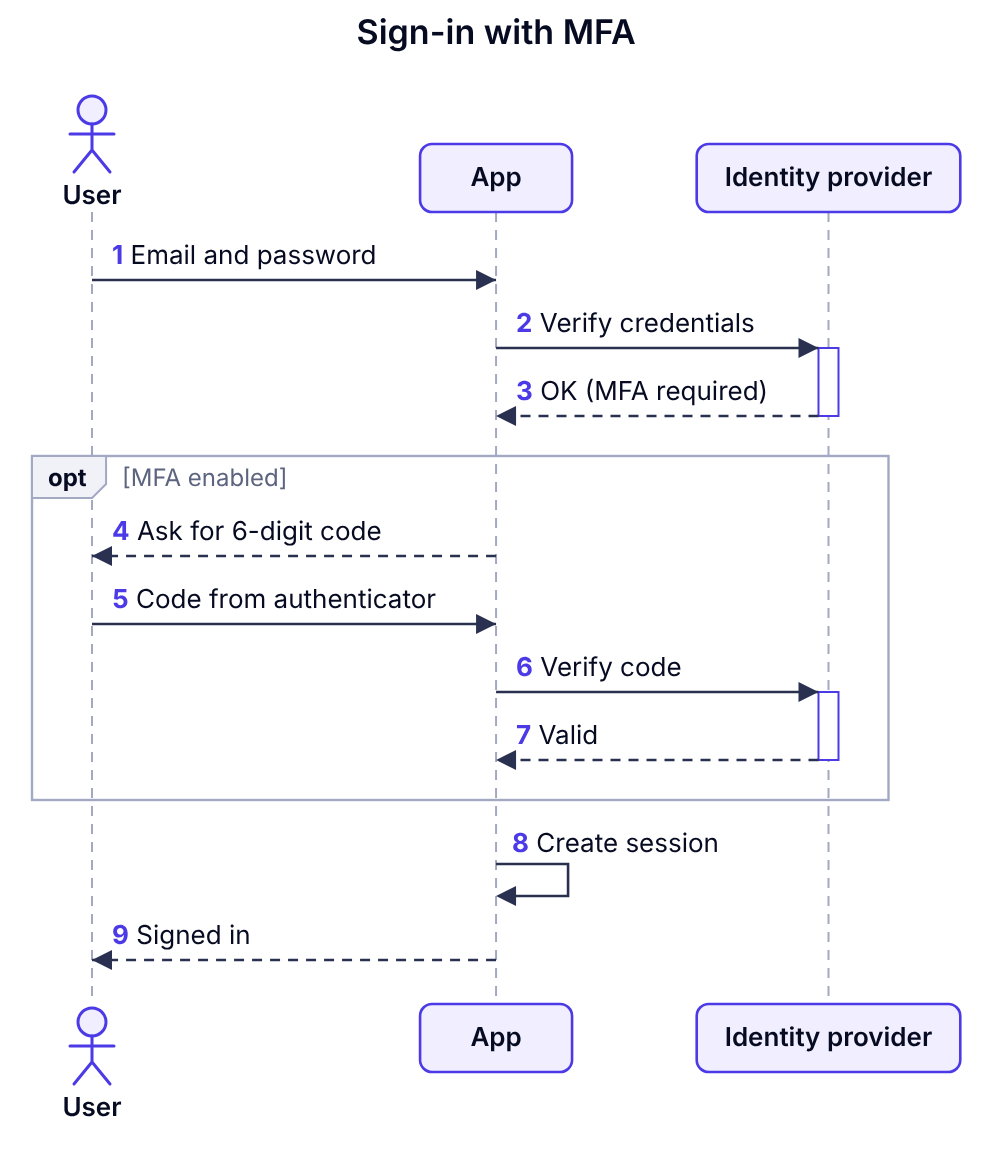
2. Calling an unreliable API with retries
A loop shows the retry policy and an alt block separates the success and failure outcomes. The note records the back-off rule right where it applies.
@startuml
participant "Order service" as Orders
participant "Shipping API" as Ship
database Postgres as DB

loop up to 3 attempts
  Orders -> Ship: POST /labels
  Ship --> Orders: 503 or 201
  note right of Orders: Wait 1s, 2s, 4s\nbetween attempts
end
alt label created
  Orders -> DB: Save tracking number
else all attempts failed
  Orders -> DB: Flag order for manual shipping
end
@enduml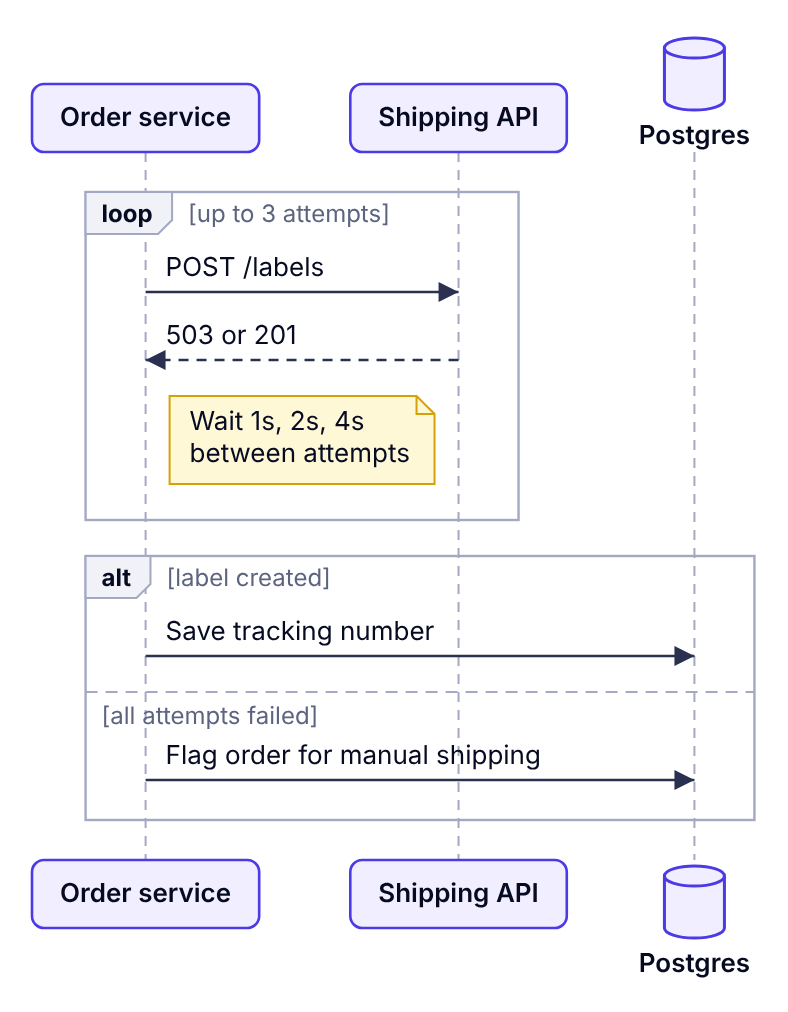
3. Event-driven messaging with a queue
Asynchronous messages (->>) show that the publisher doesn't wait. The par block shows two consumers handling the same event independently.
@startuml
participant Checkout
queue "orders topic" as Q
participant "Email service" as Email
participant "Warehouse" as WH

Checkout ->> Q: order.placed
Checkout -> Checkout: Return 201 to client
par
  Q ->> Email: order.placed
  Email -> Email: Send confirmation
else
  Q ->> WH: order.placed
  WH -> WH: Create pick list
end
@enduml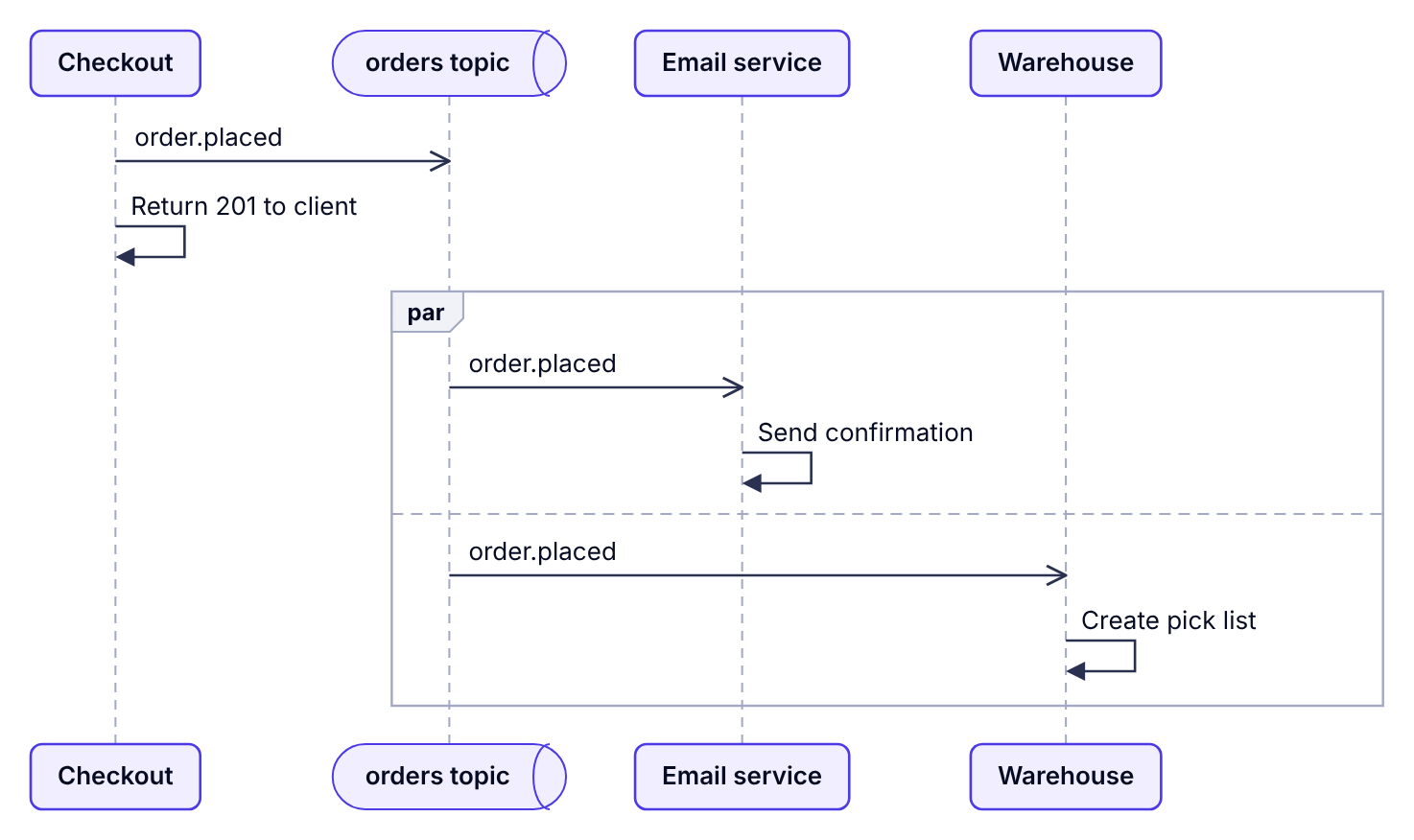
4. A CI pipeline with parallel jobs
This activity diagram uses fork to run tests and linting at the same time, then an if to decide whether to deploy.
@startuml
start
:Push to main;
:Install dependencies;
fork
  :Run unit tests;
fork again
  :Lint code;
fork again
  :Build container image;
end fork
if (All checks passed?) then (yes)
  :Deploy to staging;
else (no)
  :Notify commit author;
  stop
endif
:Run smoke tests;
stop
@enduml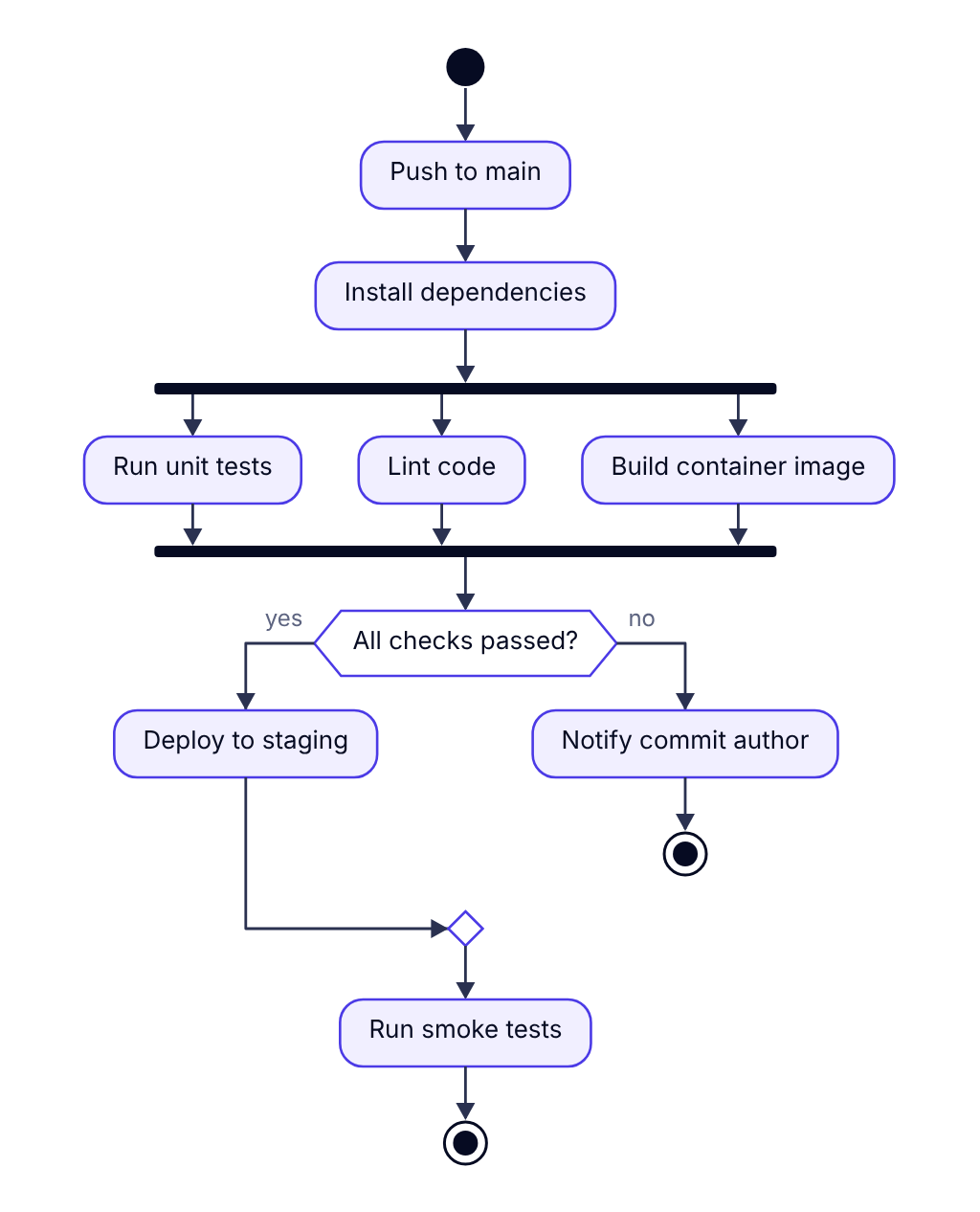
5. A returns process with swimlanes
Swimlanes show which team owns each step. A switch handles the three possible inspection results.
@startuml
|Customer|
start
:Request return online;
:Ship item back;
|Warehouse|
:Inspect item;
switch (Condition?)
case (As new)
  :Restock;
case (Damaged)
  :Send for repair;
case (Not eligible)
  :Return to customer;
endswitch
|Finance|
:Issue refund if eligible;
|Customer|
:Receive outcome email;
stop
@enduml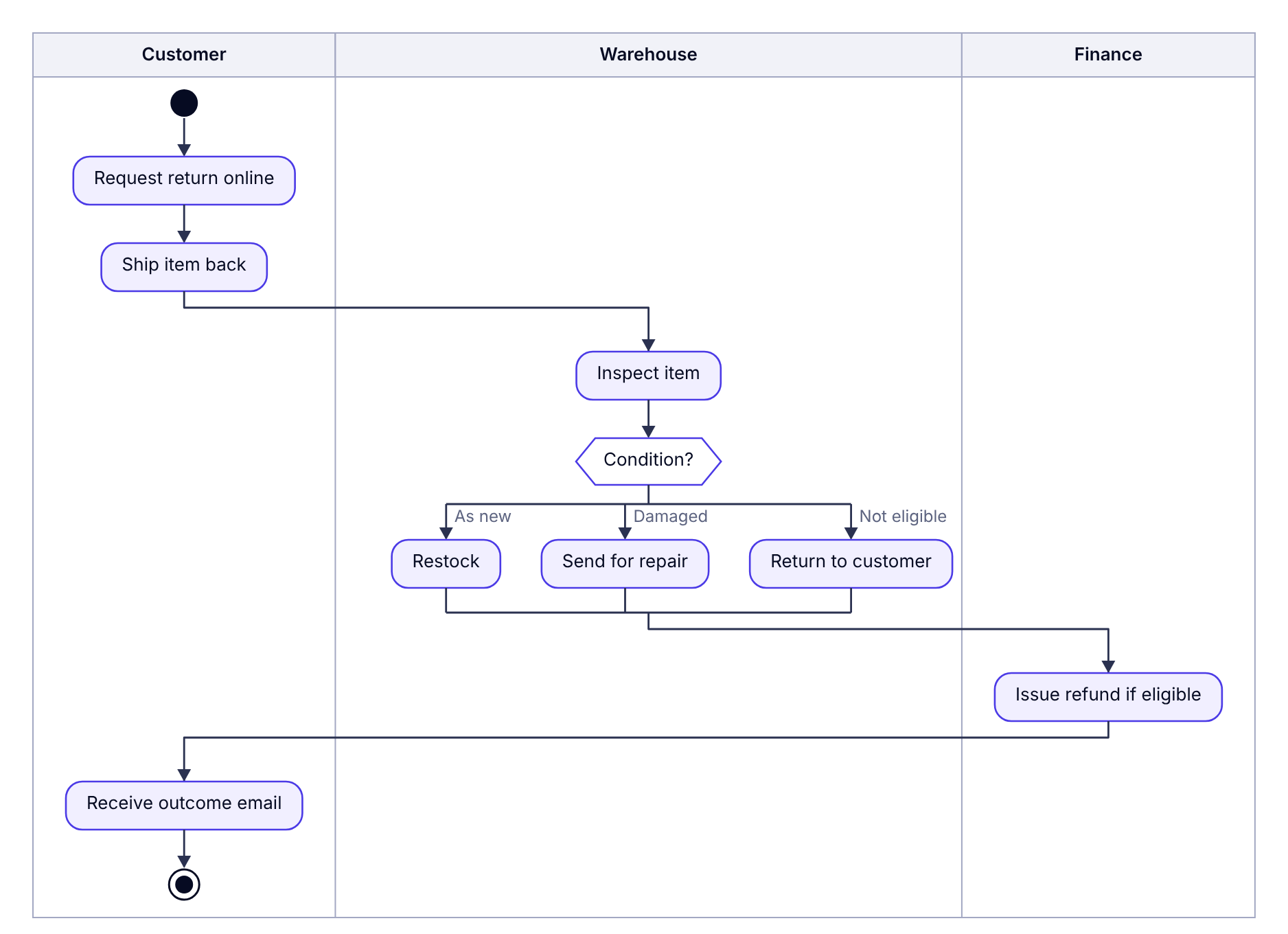
6. A deployment approval loop
repeat keeps asking for changes until the release is approved, and a note explains who can approve.
@startuml
start
:Prepare release notes;
repeat
  :Request approval;
  note right: Any two senior engineers
  :Address feedback;
repeat while (Approved?) is (no) not (yes)
:Deploy to production;
:Monitor for 30 minutes;
stop
@enduml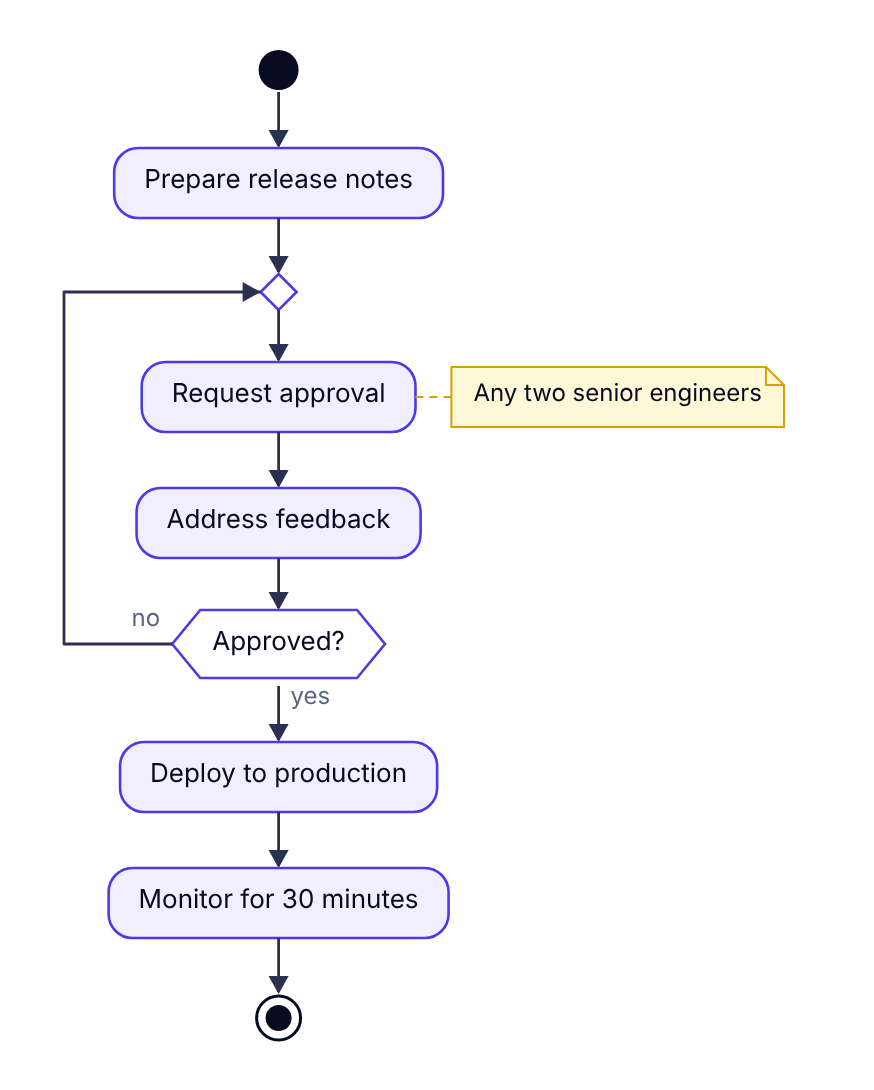
Adapting these examples
- Rename participants first. Change the names to your real services, then adjust the messages.
- Delete before you add. Remove the steps you don't need; it's easier than writing from scratch.
- Check as you go. Dev Studio redraws on every change and names the line number if something isn't recognised.